A trading journal for decisions worth reviewing.
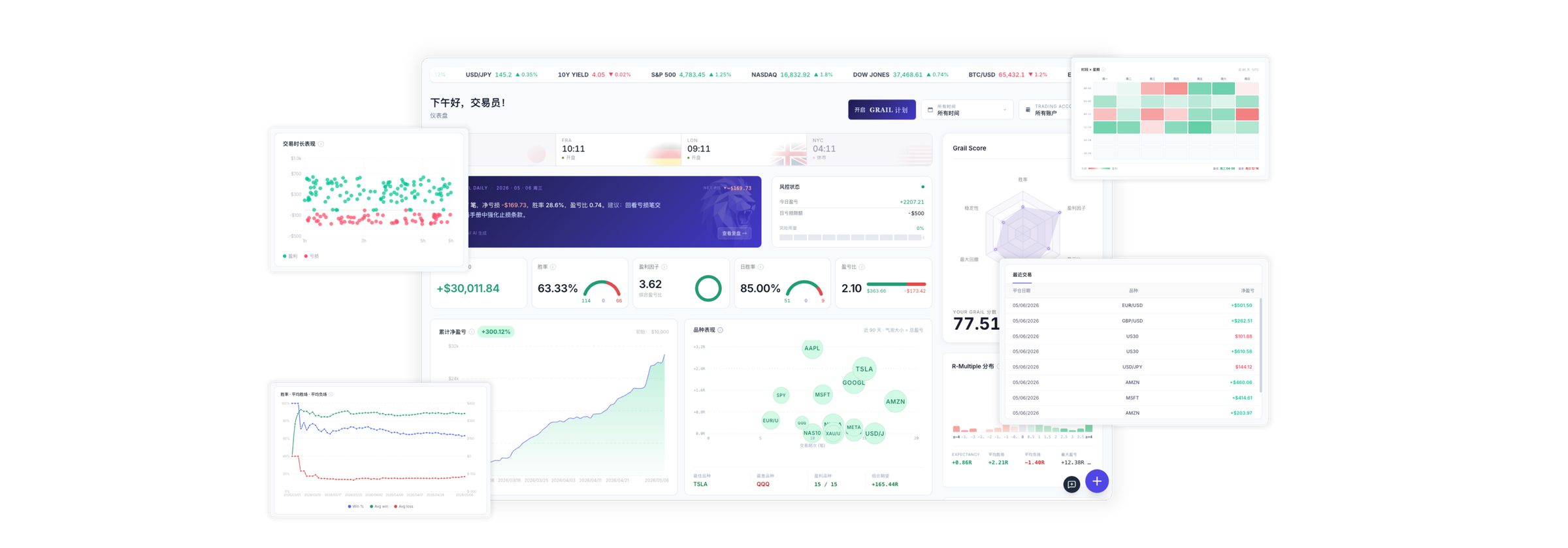
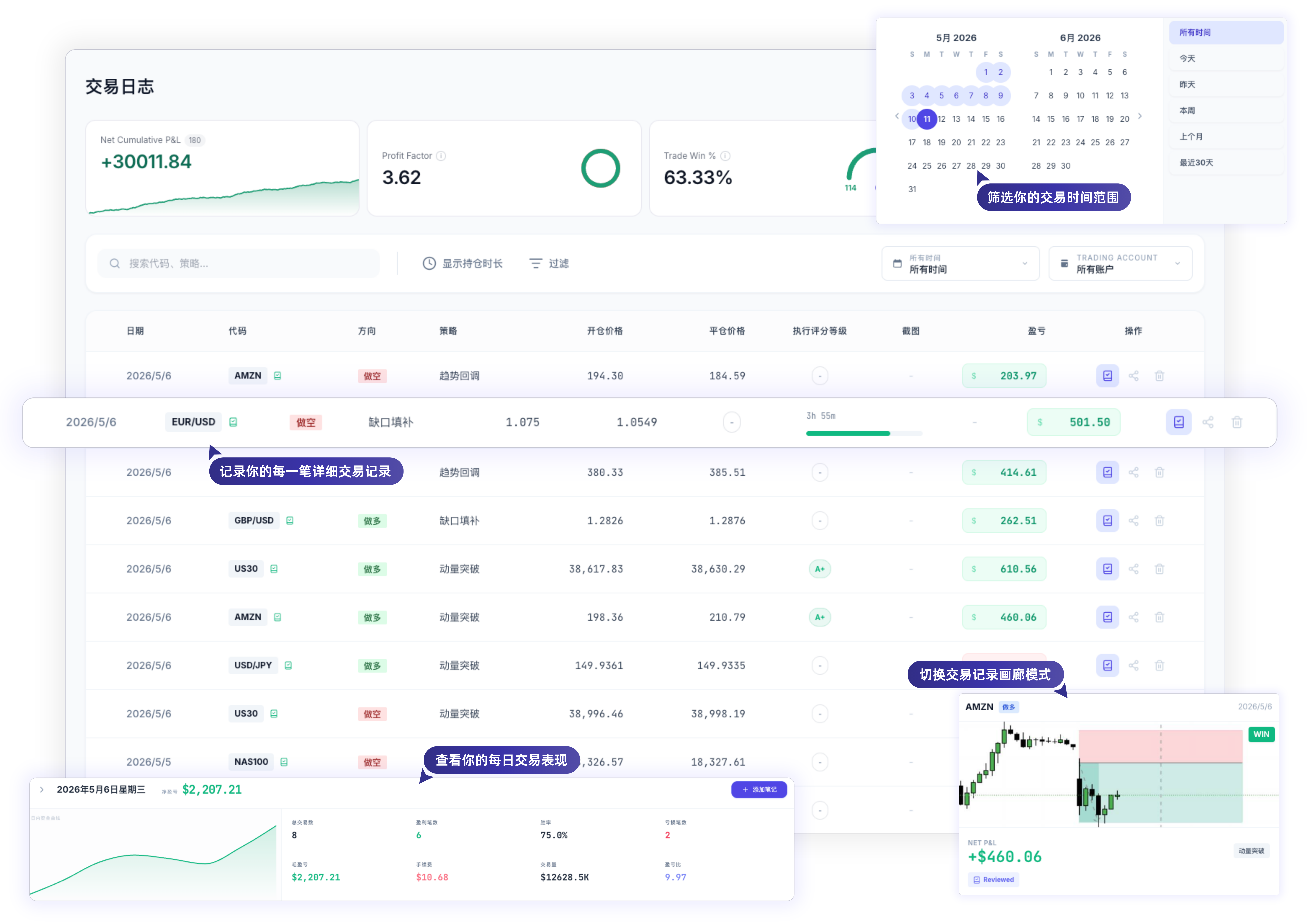
Keep entry reasons, chart screenshots, fees and net P&L together. Review execution by account and strategy. Start free with manual entry or CSV imports.
Start manually · No broker connection required · Up to 2 screenshots per trade on Free
Making the review workflow
solid first.
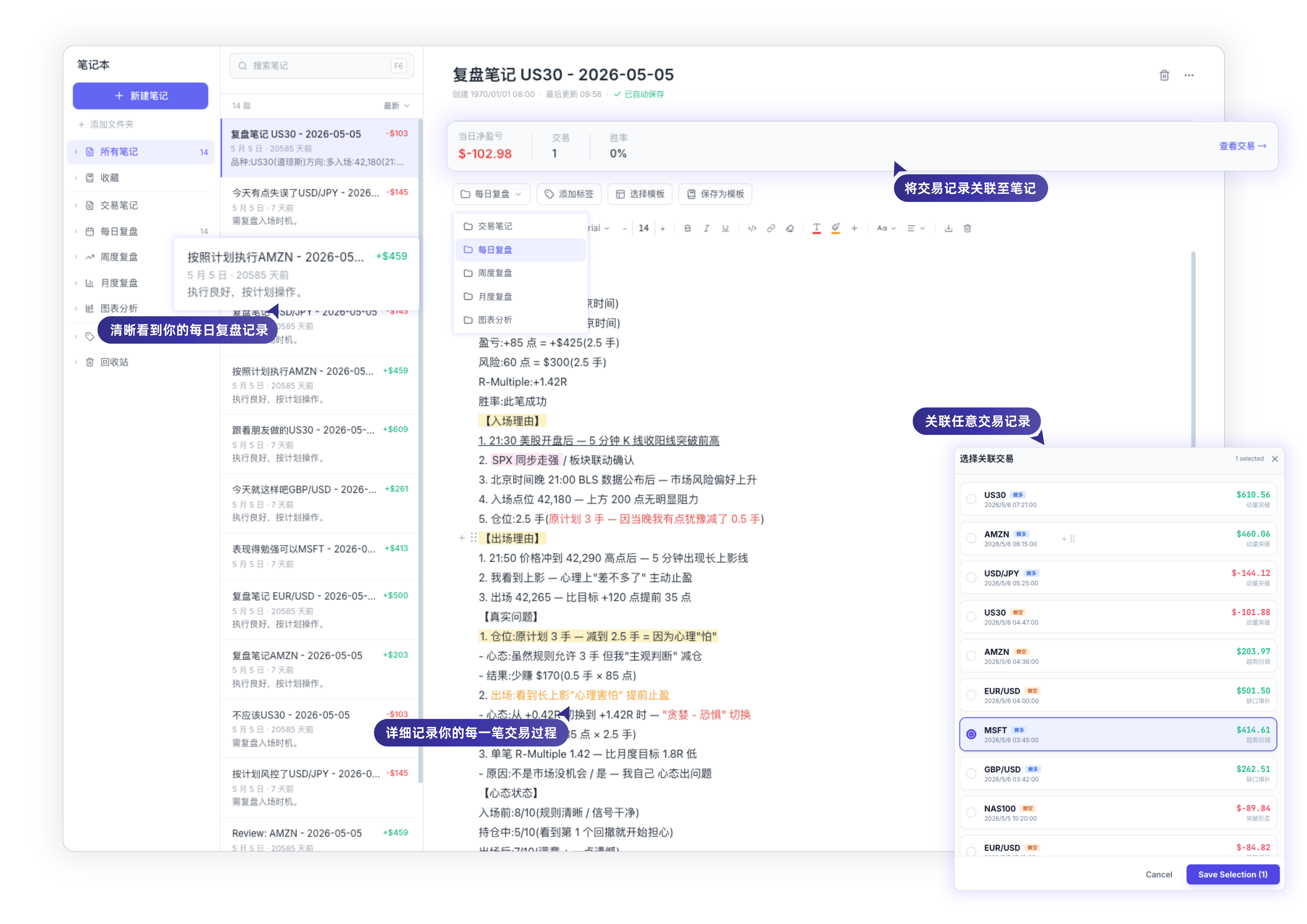
TradeGrail is prioritizing trade records, tags, risk discipline, review analytics, and AI-assisted summaries. Unstable features are not marketed as promises.
Built for real review habits
We are openly refining the product boundary, copy, and feature set as the prototype becomes a tool traders can trust.
AI-Assisted
Review Summaries
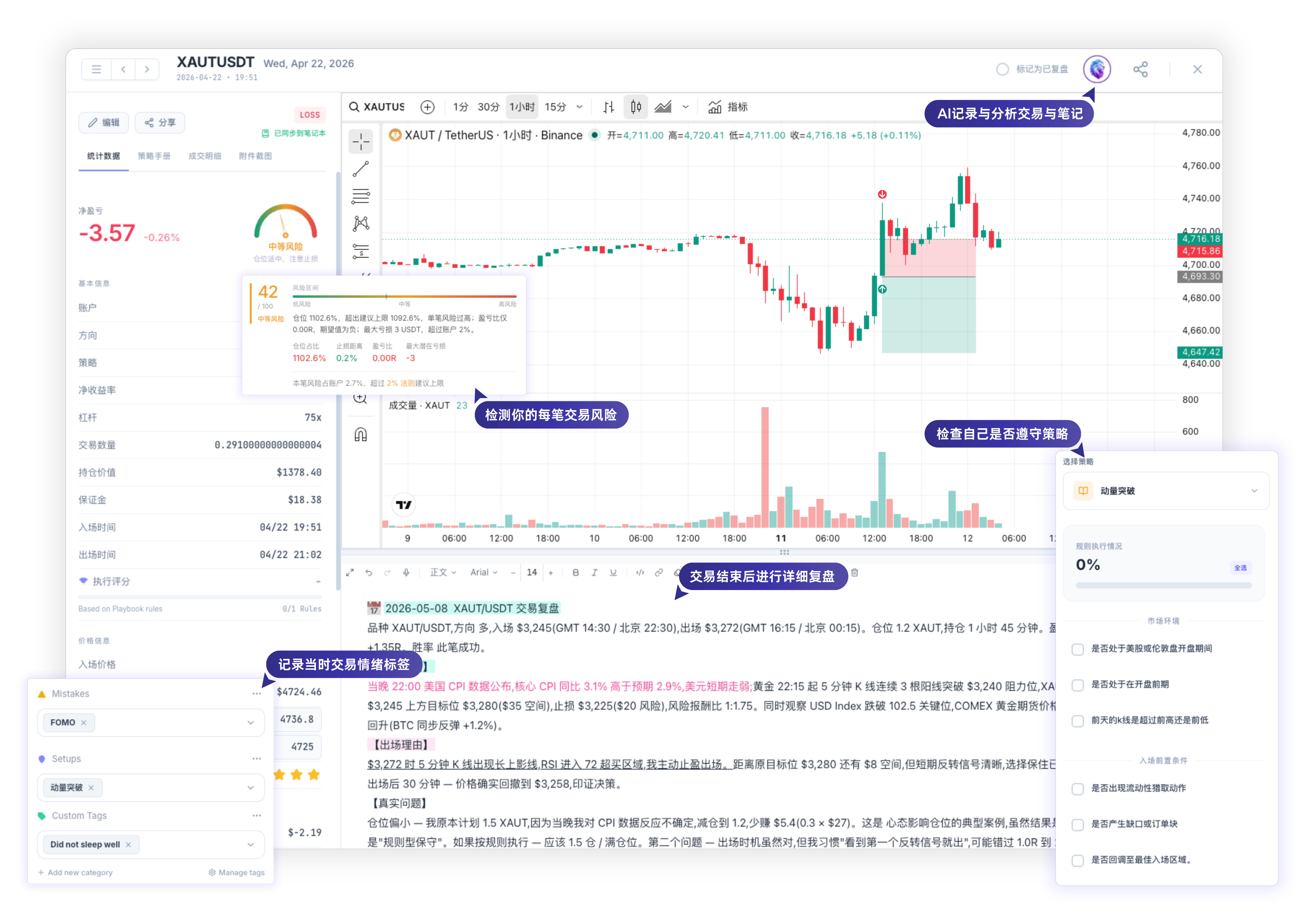
AI summarizes closed-record statistics, reviews recorded fees and suggests questions about record completeness. It does not provide trading advice or performance guarantees.
Psychology Matrix
Track your emotional state and identify psychological traps leading to losses.
Trust First
We are cleaning up legacy auth, payment, and data boundaries. Security claims will follow verified implementation.
Clear Scope
Manual logging and verified import flows come first. Large-scale broker sync will only be promised after validation.
Build in Public
We will show the real process of turning TradeGrail from an AI prototype into a professional SaaS.
Public updates can cover product boundaries, review workflows, design changes, technical risk cleanup, and early feedback. We will not fake testimonials, press logos, or maturity.
Make the core web review experience reliable.
The current focus is a clear desktop and mobile-browser workflow for logging, tagging, reviewing, and analyzing trades. Native apps are not a current public promise.
Try the web versionNative apps are not live yet
Stop Using Spreadsheets.
Spreadsheets can record outcomes, but they are weak at capturing decisions, risk, discipline, and review habits.
Traditional Spreadsheets
- • Manual data entry (slow and error-prone)
- • Static charts without deep filtering
- • Zero psychological or emotional tracking
- • Hard to record why rules were followed or broken
- • Difficult to visualize equity curves
TradeGrail Trading Journal
- • Manual logging and verified imports first
- • Advanced multi-variable filtering
- • Integrated psychology and error matrix
- • AI-assisted review summaries and behavior patterns
- • Performance analysis improved step by step
Early Beta Pricing
Start free. Choose a plan when you need it.
Loading local prices…
Free
0 / month
- 1 personal trading account
- Manual records and CSV import
- Up to 2 screenshots per trade
- Review notes and performance views
- 30 AI requests/month, up to 5/day
Pro
Loading… / month
- Up to 3 personal accounts
- Up to 1,000 trade records
- Multiple screenshots per trade
- 300 AI requests/month, up to 30/day
- Calendar and performance views
Elite
Loading… / month
- Everything in Pro
- No trading account count limit
- No trade record count limit
- 600 AI requests/month, up to 60/day
Annual plans are charged once for the full year. Taxes and the final total appear before payment. USD subscriptions renew until canceled; domestic prepaid plans do not automatically renew. API linking and automatic broker sync are currently paused.
No fake testimonials here
TradeGrail does not yet have enough real, consented, public customer quotes. This section explains what we are building in public instead.
From prototype to product
We will show the real process of moving from an AI-coded prototype toward a launchable SaaS.
Trust risks first
Legacy auth, payment, diagnostics, secret naming, and data boundaries are priority cleanup items.
No premature promises
Broker sync, API, mobile apps, white-label, and institutional features will be marketed only after validation.
Early co-build
Early feedback will shape trade logging, review flows, and AI summary behavior.
Help make the review workflow real
We welcome early traders who can tell us which review flows are genuinely useful and which only look impressive.
Common Questions
Which brokers do you support?
Manual entry and CSV imports are available. API linking and automatic sync are currently paused. If your broker is not listed, create a manual account using another or unspecified broker.
Do I need to connect a broker first?
No. Create your own manual account, record one trade and reconcile the result before choosing imports or an available integration.
Can free users upload screenshots?
Yes. Free accounts can attach up to two screenshots per trade and replace them after removal. Other features and limits follow the current in-app plan description.
START WITH A CLEAR PROCESS
Practical guides for your first review
Trading journal template: what to record for each trade
A useful trading journal separates execution facts, the original plan and the post-trade review. Record the instrument, direction, timestamps, prices, quantity, costs and net P&L first. Then add the entry reason, whether you followed the plan, and one specific item to check next time. This template works in a spreadsheet or a notes app.
Read the guideHow to create an account and log your first trade in TradeGrail
Start TradeGrail by creating your own manual trading account and recording one completed trade. You do not need to connect a broker first. Demo data is for exploring the interface; your own account keeps your trading history separate. Reconcile one record before migrating a full history.
Read the guideFutures journal P&L: gross profit, net profit and commissions
Confirm the P&L basis before recording a futures trade. Gross P&L is the price-movement result; net P&L subtracts all relevant costs. An imported figure that is already net must not have the same fees deducted again. Check the contract multiplier, contract quantity and both entry and exit costs separately.
Read the guide